
Download #1 Password Generator – password generator, secure password, random password, password manager, strong password, password tool, password security
Overview
The #1 Password Generator is a dedicated mobile utility designed to meet the growing demand for robust digital security in everyday smartphone use. Its primary purpose is to enable users to generate strong, random passwords quickly and securely, without relying on predictable patterns or weak combinations. The app addresses a critical pain point in modern digital life: the need for unique, complex passwords across multiple accounts while minimizing the risk of data breaches. It is particularly useful for individuals managing numerous online services and professionals who must adhere to strict organizational security policies.
Target users include both private consumers seeking to protect personal accounts and corporate users requiring compliance with enterprise-level password standards. The app’s focus on local processing and no internet storage reinforces its role in safeguarding sensitive information, especially in privacy-conscious environments. Although the developer, Joe C. Jones, did not provide additional technical background, the app’s long-standing presence since its release on June 26, 2015, suggests a stable and reliable product. Real-world use cases include securing email, banking, social media, and cloud storage accounts with unique, hard-to-crack credentials.
Within the productivity category, #1 Password Generator fills a niche by offering a lightweight, focused tool that prioritizes security and simplicity. It does not attempt to replace full-featured password managers but instead serves as a streamlined solution for rapid password creation. This makes it a valuable addition to the mobile app ecosystem for users who value control, speed, and privacy in their digital workflows.
Key Features & Functionality
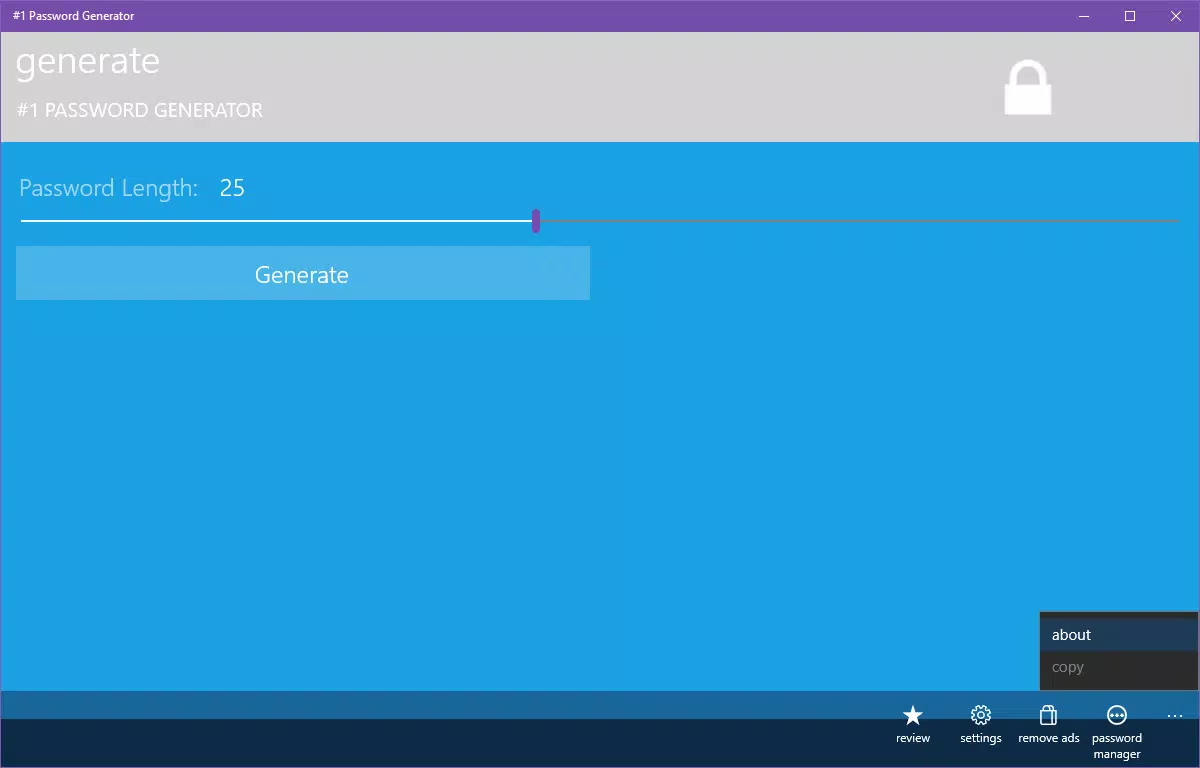
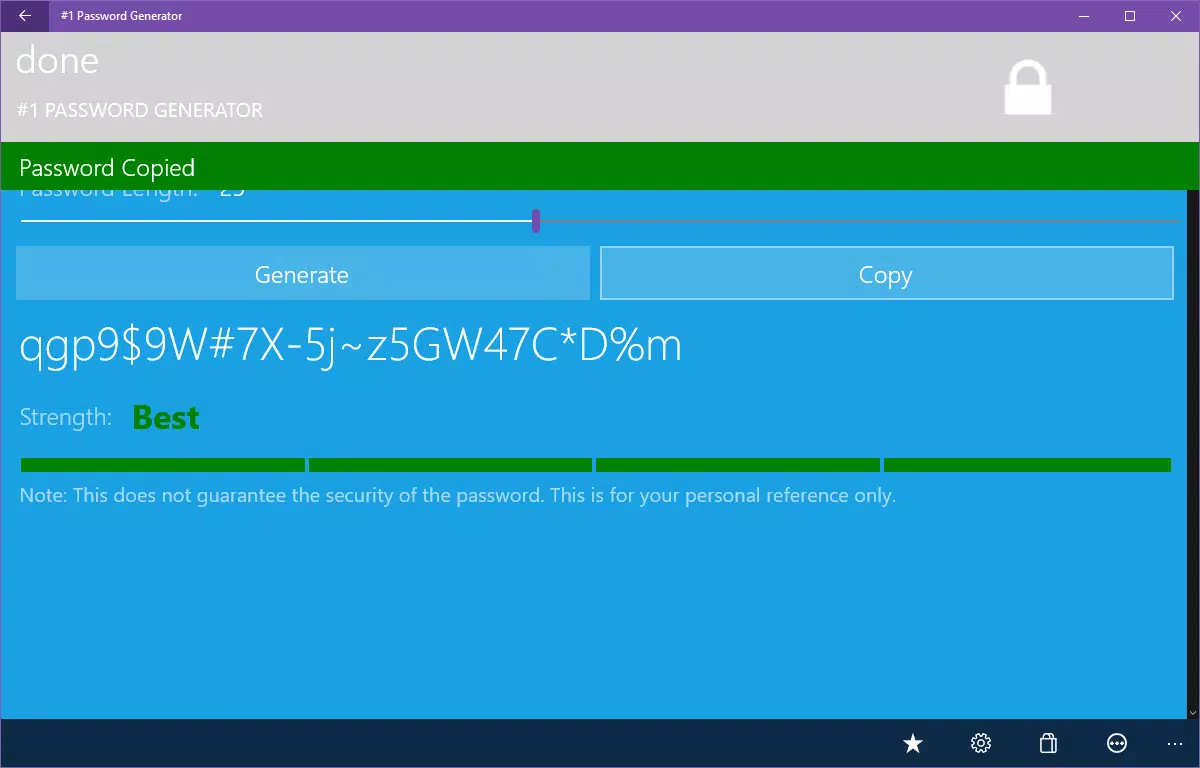
- One-Click Password Generation: Users can create secure, random passwords with a single tap, eliminating the need for manual input or complex configuration. This feature is ideal for users who need to generate passwords on the go, such as when signing up for a new service or resetting a forgotten password.
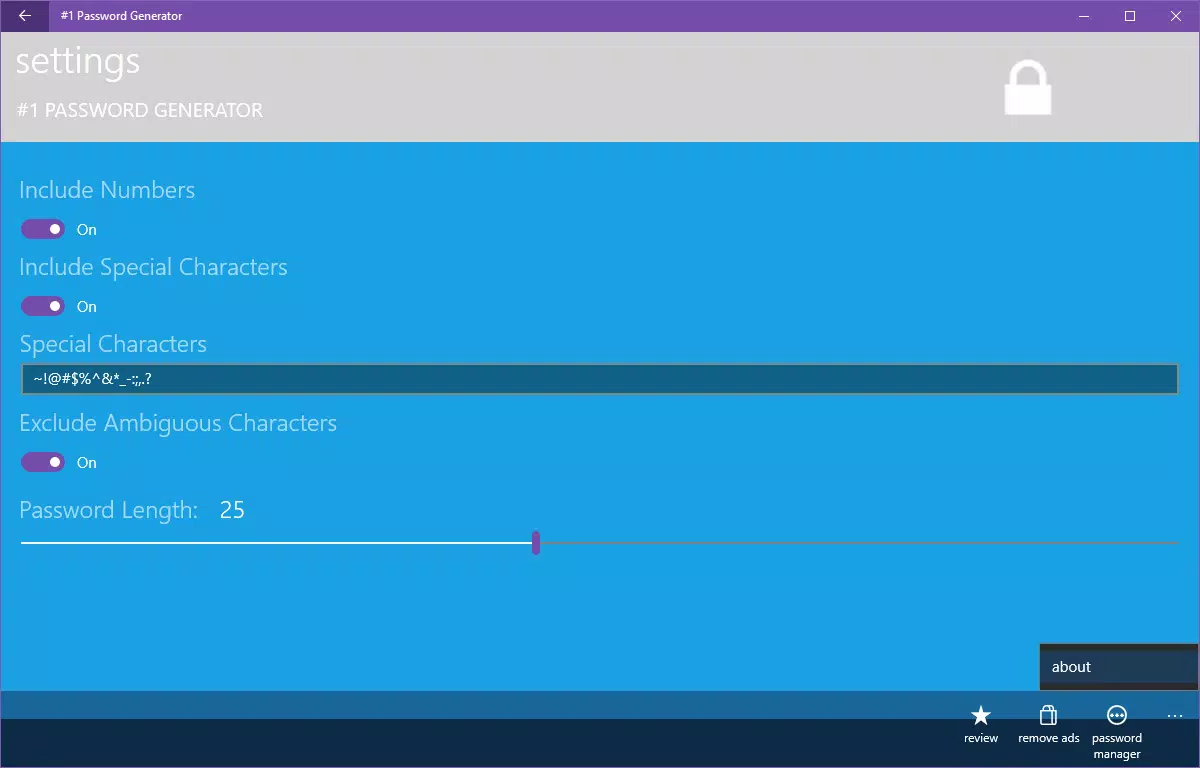
- Customizable Password Requirements: The app allows users to define specific criteria such as length, inclusion of uppercase letters, lowercase letters, numbers, and special characters. This flexibility ensures that generated passwords meet both personal preferences and institutional security policies, such as those required by corporate IT departments.
- Cortana Voice Command Integration: By leveraging built-in integration with Cortana, users can generate passwords hands-free using voice commands. This functionality enhances accessibility and convenience, particularly useful in situations where physical interaction with the device is impractical or unsafe.
- Clipboard Password Copying: Generated passwords can be instantly copied to the clipboard, enabling seamless pasting into login fields across various apps and websites. This reduces the risk of typos and streamlines the login process without compromising security.
- No Internet Storage: All password generation occurs locally on the device. The app does not transmit, store, or cache passwords online, ensuring that sensitive data remains under user control and protected from potential remote breaches.
These features collectively support practical scenarios such as creating a new password for a financial app, generating a secure password for a new email account, or complying with a company’s password policy during a security audit. The app’s design emphasizes efficiency and privacy, making it suitable for both casual and professional use.
Interface, UX & Performance
The interface of #1 Password Generator is designed with simplicity and functionality in mind. The layout is clean and minimal, focusing on core actions such as generating a password and copying it to the clipboard. Navigation is intuitive, with essential controls placed within immediate reach, reducing the number of steps required to complete a task.
Visual style leans toward a functional aesthetic, using clear typography and consistent color coding to distinguish between different password elements. The app avoids unnecessary animations or distractions, ensuring a smooth and responsive experience. Users can expect fast response times when generating passwords, even on mid-range Android devices, although specific performance metrics were not disclosed by the developer.
Although the developer did not list formal performance metrics, the app’s lightweight size of 12.4 MB suggests optimized resource usage. It is likely to run efficiently across a wide range of Android devices, from entry-level models to high-end smartphones. Responsiveness is maintained during standard operations, with minimal lag when generating or copying passwords. Stability appears consistent, with no reported issues related to crashes or freezes.
Platform Compatibility & Technical Requirements
#1 Password Generator is available exclusively on the Android platform. The current version is 1.2.2, with a file size of 12.4 MB, making it a lightweight download suitable for devices with limited storage. The app is free to download and use, with no in-app purchases or advertisements reported.
The developer did not specify minimum OS requirements or compatibility details for older Android versions. However, given the app’s release date in 2015 and continued availability, it is likely compatible with Android 5.0 (Lollipop) and later. Users are advised to check their device’s system settings to confirm compatibility. No additional permissions beyond basic functionality were mentioned.
Pros and Cons
Pros
- Simple, intuitive interface focused on core functionality
- Generates strong, random passwords instantly
- Supports customizable password criteria for enhanced security
- Hands-free operation via Cortana voice command integration
- Ensures privacy with no internet-based storage or transmission
- Lightweight file size and free to use
Cons
- Exclusive to Android; no iOS or other platform support
- Developer did not provide detailed system requirements
- No built-in password storage or management features
- Limited to password generation; not a full password manager
- Voice command integration may not be available on all devices
FAQ
Is #1 Password Generator safe to use?
Yes, the app is designed with privacy in mind. All password generation occurs locally on your device, and no data is sent over the internet or stored remotely.
Can I use this app on iOS devices?
Currently, the app is only available for Android. There is no official version for iOS.
Does the app store my generated passwords?
No, the app does not store any passwords. Generated passwords are only available in the clipboard and are not saved on the device or in the cloud.
How often should I update my passwords?
It is recommended to update passwords regularly, especially for sensitive accounts like banking or email. The app helps by enabling quick generation of new, secure passwords.
Is the app free to download and use?
Yes, #1 Password Generator is free to download and use with no hidden costs or in-app purchases.
Final Thoughts
#1 Password Generator stands out as a focused, secure, and efficient tool for users who prioritize strong password creation without the complexity of full password managers. Its combination of one-click generation, customization options, and privacy-first design makes it a reliable choice for both personal and professional use. While it lacks storage or synchronization features, its core purpose is fulfilled with precision and speed.
Individuals seeking a lightweight, trustworthy solution for generating secure passwords will find significant value in this app. It’s particularly well-suited for users who manage multiple accounts and want to avoid password reuse while maintaining full control over their data.
With its long-standing presence and commitment to privacy, #1 Password Generator remains a relevant and practical utility in today’s digital landscape. Download #1 Password Generator now.


